Orb
Generative music you can see and touch. Marbles roll in a glass sphere and play melodies, chords and pads that grow and change, never quite the same.
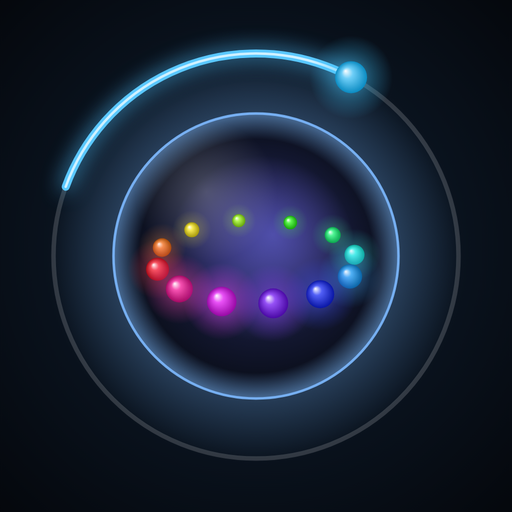
Coming soon on the App StoreUser guide (PDF)Every time a marble hits the shell, it plays a note: the marbles are the melody. The light inside the sphere is the pad, a soft sound that holds the chords. Press play and Orb makes music that keeps evolving, calm or lively, for as long as you let it.
Play it
Turn the sphere, flick it, drag a marble to change its note. Roll the dice for a brand-new pattern.
Shape it
8 motions with their own rhythms, melodies drawn on a clock, chords of your own, and variations that keep a pattern alive.
Sounds
15 instruments for the marbles, from kalimba to piano, and 12 pads with their own bass. Load any audio file as a grain cloud.
Songs
Save patterns with their colors and chain them into songs that crossfade from part to part.
Share
Record what you hear. Send patterns and songs as small .orb files, or back up everything in one file.
Private
No account, no ads, no tracking. Orb collects no data. Privacy policy
Requirements
iPhone and iPad with iOS / iPadOS 26 or later (played in landscape), and Mac with Apple silicon and macOS 26 or later.
Support
Answers to common questions below. Anything else: write to contact@polytonic.art, with your device and iOS / macOS version if something does not work.
Read the user guide (PDF)Contact support
How do I start?
Press Play, the large button at the bottom of the ring. Tap the colored circles on the right to try other patterns, or the dice for a new one. The “?” at the bottom right opens the full user guide, also available here as a PDF.
How do I save what I hear?
Press + next to the colored circles and choose a color: the pattern is saved with its sound, melody, chords and motion. Long-press a saved pattern to recolor, overwrite, share or delete it. Orb also saves where you are by itself when you leave it.
How do I make a song?
Switch the colored circles to Song mode (the switch at their top), press +, then tap the patterns you want: each becomes the next part. Drag a part outward or inward to make it longer or shorter, then press Save.
Can Orb play in the background?
Yes. It keeps playing when you switch apps or lock the screen, with play / pause on the lock screen, in Control Center and on headphones. Unplugging headphones pauses it.
Where are my recordings?
Press the red button next to the transport to record; press it again (or Stop) to finish and share. Recordings are also in the Files app: On My iPhone / iPad › Orb › Recordings.
How do I move patterns and songs to another device?
Long-press a pattern or a song and choose Share: it travels as a small .orb file. To back up everything, long-press the Pattern / Song switch › Back up all patterns and songs. Open the file on the other device, or use Import… in the same menu.
How do I use my own sounds?
Open Grains › Load a file and choose any audio file: Orb plays it as a cloud of grains following the chords. Raise the Grains knob to hear more of it. Remove takes the file out again.
There is no sound.
Check the volume arc at the lower right and your device volume, and that the balance arc at the lower left is not at one end with that side's level at zero (Mix: Tone and Pad). Orb follows the Ring / Silent switch rules of music apps: it plays even in silent mode.
Does Orb collect any data?
No. Orb has no account, no analytics, no ads and no tracking. Everything you make stays on your device unless you share it yourself. See the privacy policy.